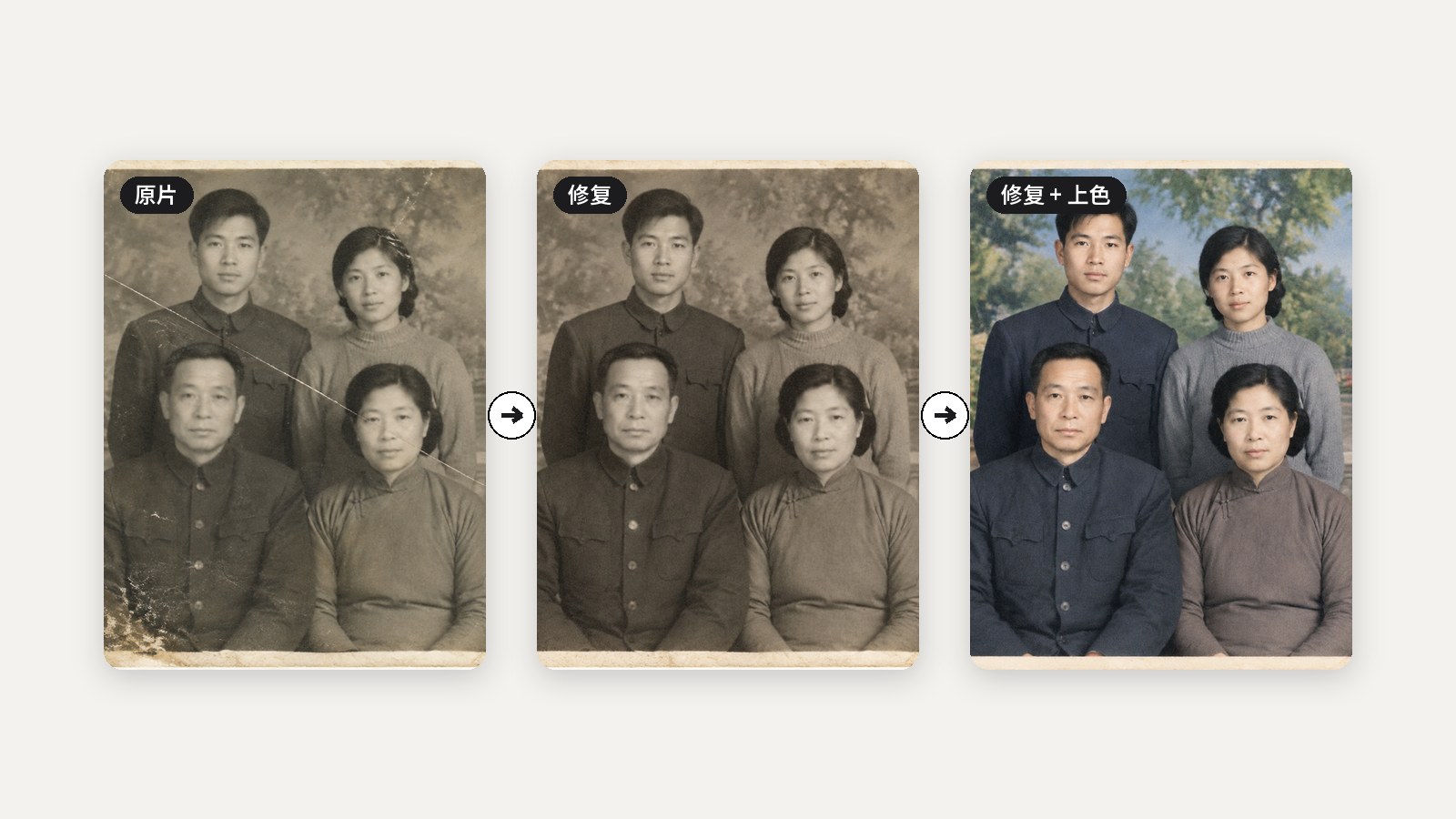
Old family photos often develop scratches, creases, mold spots, fading, and blurriness over time. On 笔画AI, give your photo to Agent’s Old Photo Restoration Skill and simply say whether you want it restored, colorized, or enhanced in HD to get a repaired version.
How to Use It
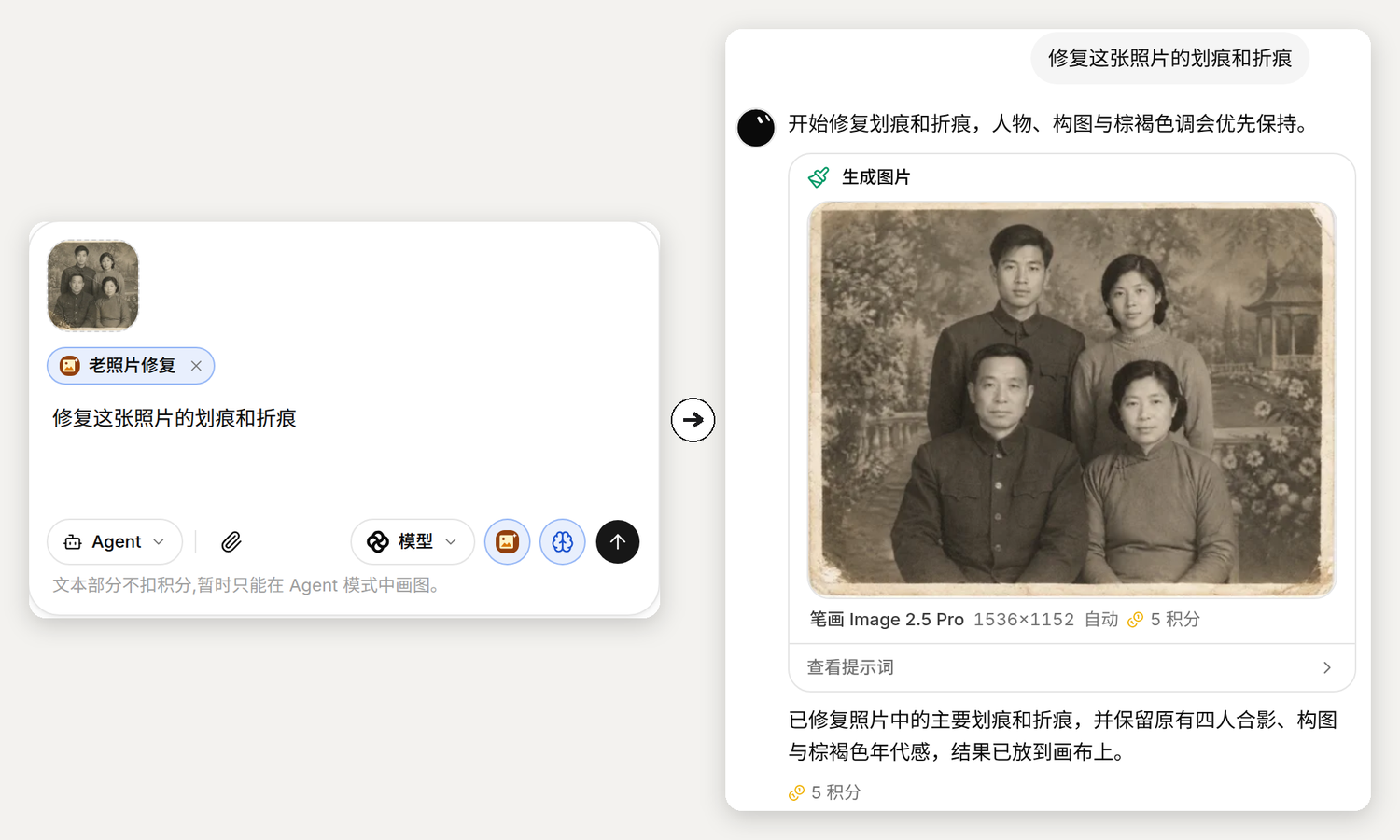
- Create a new canvas and switch the creation mode in the lower-left corner of the creation box to Agent.
- Click the mortarboard-shaped Skills button, then search for and select Old Photo Restoration.
- Click the paperclip and upload an old photo using Upload from Device, or choose an existing photo with Select from Canvas. Process only one photo at a time.
- Describe what you want, for example:
- “Remove the scratches and creases from this photo.”
- “Restore and colorize it naturally.”
- “Restore it in HD at 4K resolution.”
- Agent will first assess the photo’s issues, then generate a restored version and place it on the canvas.
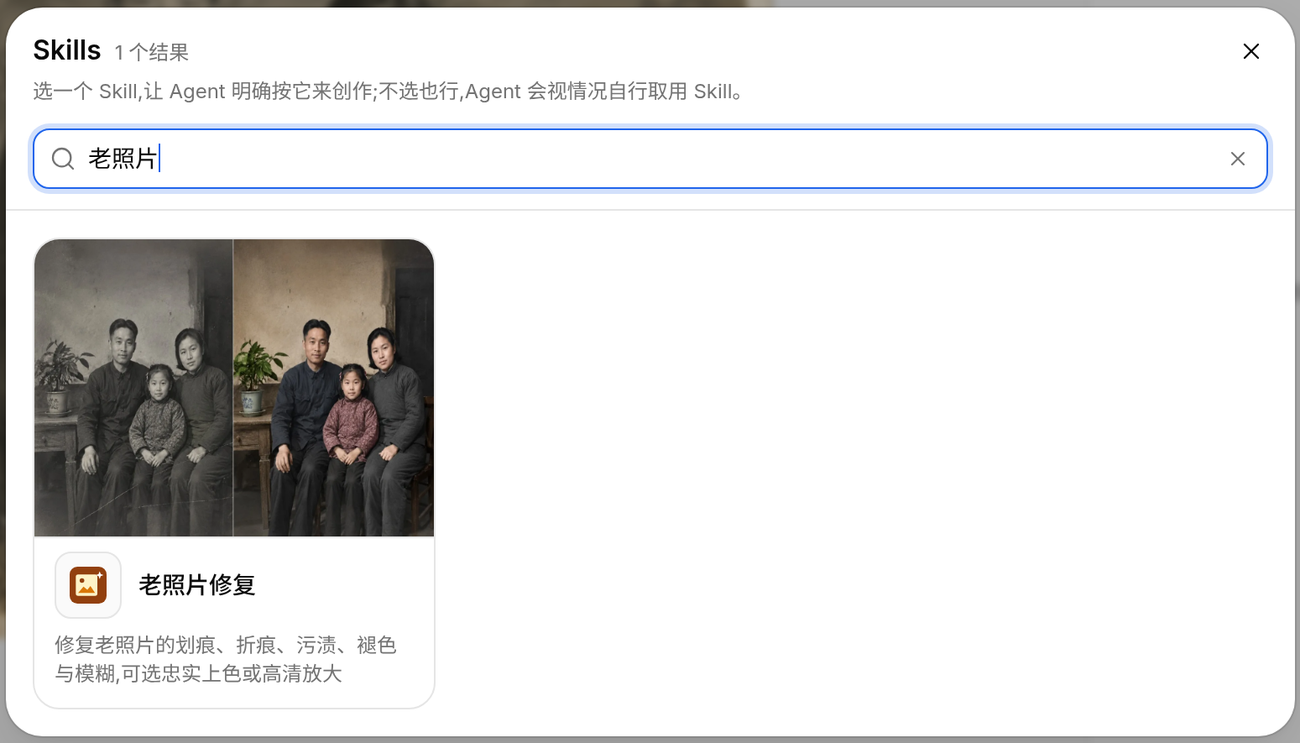
You can also skip selecting the Skill and simply say, “Please restore this old photo.” Agent will use it automatically.
What It Can Restore
| Issue | How It’s Handled |
|---|---|
| Scratches, creases, stains, and mold spots | Removes them and reconstructs the area based on surrounding textures |
| Fading, yellowing, and underexposure | Restores natural lighting, contrast, and depth |
| Blurriness and noise | Reduces noise and restores facial and clothing details |
| Small missing or damaged areas | Repairs them |
| Black-and-white or sepia photos | Colorizes only when requested; otherwise preserves the original tones |
| Low resolution | Generates the result directly in 4K when you request “HD” or “4K” |
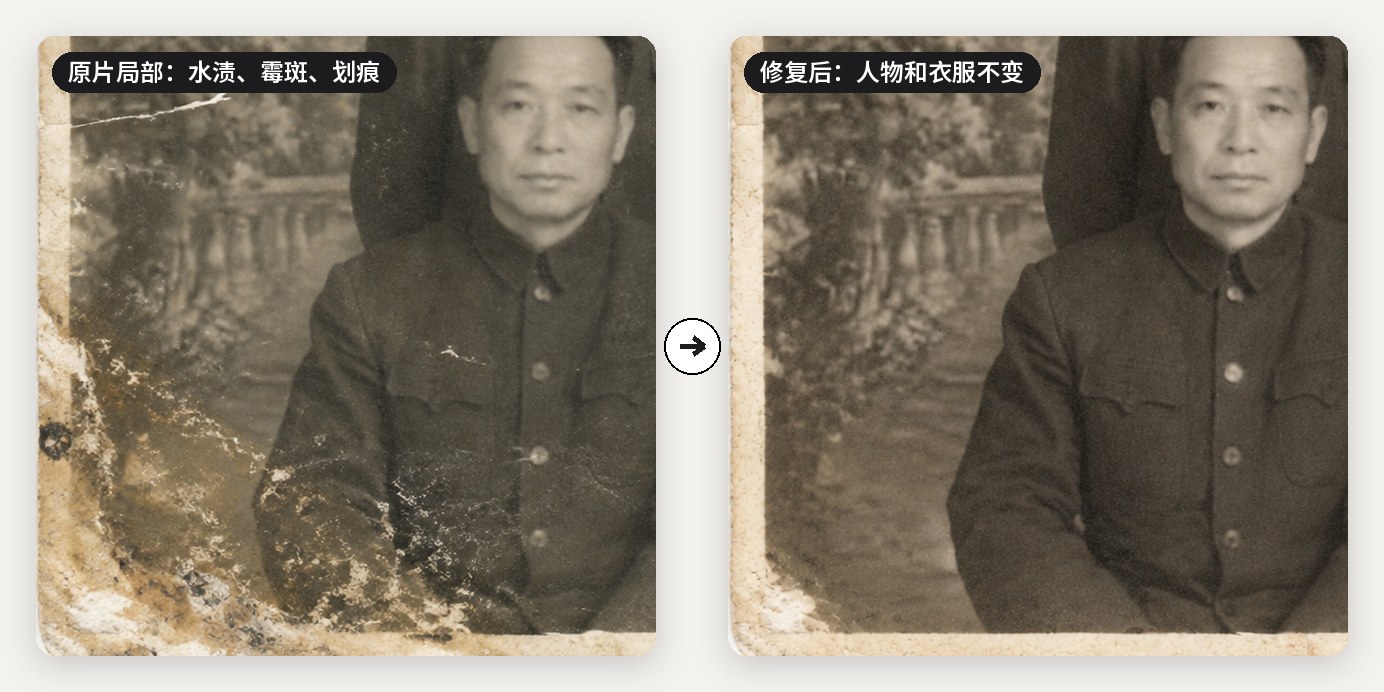
What Restoration Won’t Change
Old Photo Restoration prioritizes fidelity to the original over beautification:
- The number of people, their appearance, age, expressions, hairstyles, and gaze remain unchanged;
- Poses, clothing, accessories, backgrounds, furniture, and camera angles remain unchanged;
- It won’t beautify faces, smooth skin, swap faces, or add dates, borders, watermarks, or text that wasn’t in the original;
- It preserves a natural amount of film grain and skin texture, so the result won’t look like a modern digital photo.
Large missing areas can only be reconstructed through estimation. The delivered result will indicate which parts were inferred by AI. Illegible text on IDs, medals, or plaques won’t be “guessed” and presented as definitive.
Tips for Photographing Old Photos
The quality of the restoration depends heavily on the source image:
- Scan the photo if possible. If you don’t have a scanner, hold your phone directly above the photo to avoid perspective distortion;
- Use even lighting: Photograph it near a window during the day without flash to avoid reflections on the photo’s surface;
- Remove the frame glass, as reflections and dust on the glass may be mistaken for flaws in the photo itself;
- Fill the frame, keeping all four edges of the photo visible with a small margin around them.
After Restoration
- Want a larger image? Use Upscale on the restored result to increase its resolution. See How to Make a Blurry Image Clear.
- Not satisfied with one area? Select the restored image, use Universal Edit to outline that area, and describe what you want changed. Only that area will be modified. See AI Image Editing Guide.
- Want to try different colorizations? Say, “Try a lighter colorization” in the conversation. Each version will be restored again from the original image rather than building on the previous result.
Open 笔画AI, switch to Agent, and try giving an old photo to Old Photo Restoration.